17-0 Football Manager
FunCraft GamesSports
4.7518.00 Reviews
- Version
- 1.0.52
- Installs
- 100.00K
- Age Rating
- Everyone
Screenshots
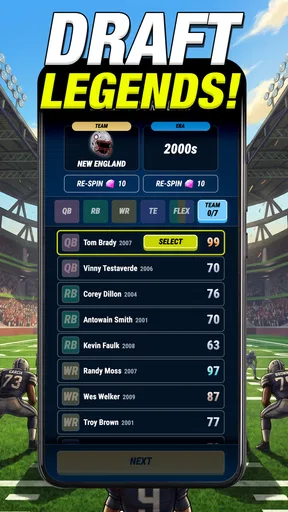
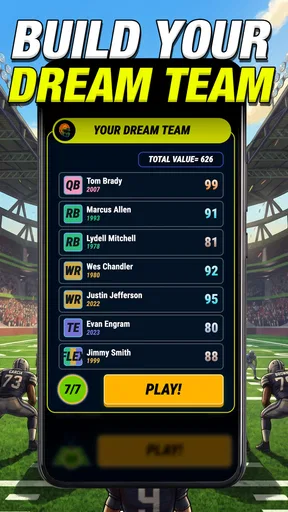
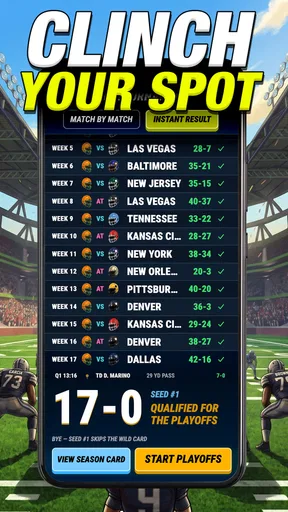
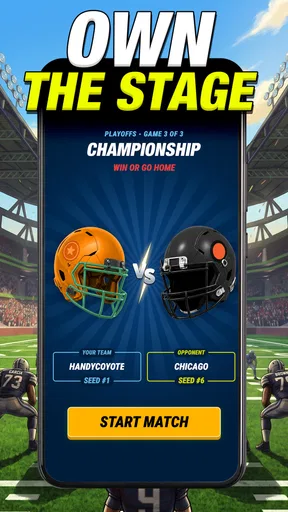
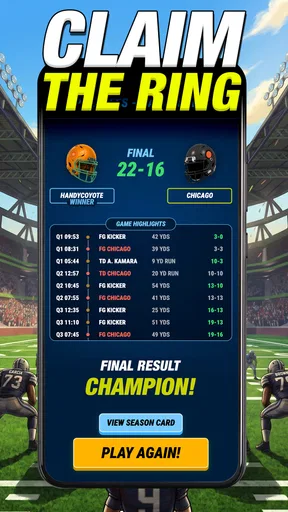
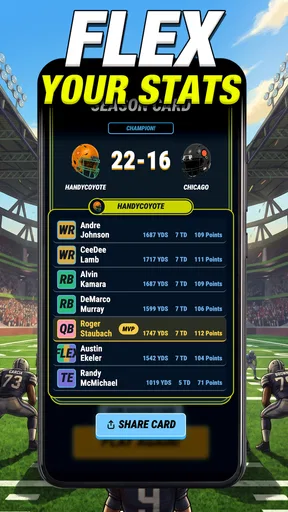
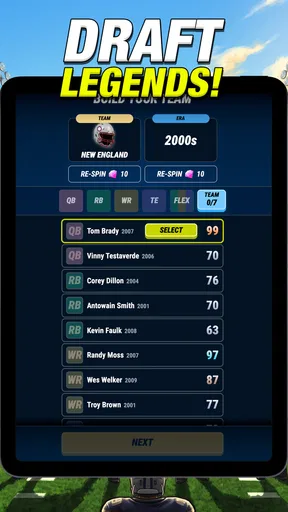
Our Review of 17-0 Football Manager
 Analysis by Appyee
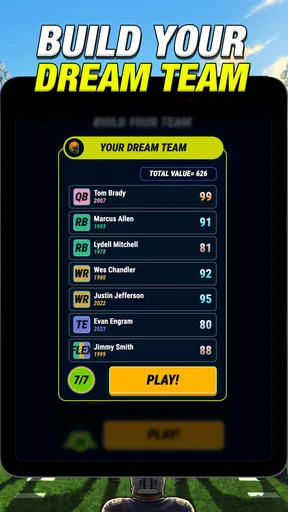
Football management games make a simple promise: put together a squad, make smart decisions, and see whether your team can go all the way. 17-0 Football Manager builds its pitch around drafting football legends, taking on online leagues, and chasing a championship. That gives it a clear appeal for anyone who enjoys the planning side of sports games as much as the competition itself.
My first impression is that this is best approached as a manager’s game rather than a hands-on football simulator. The focus suggested by its core loop is on building a team and guiding it through competition. That can be a satisfying change of pace if you like thinking about who belongs in your lineup and how a squad might perform over a league campaign. It is free to download, rated for Everyone, and developed by FunCraft Games.
Getting into the football manager mindset
The central draw is easy to understand: draft football legends, enter online leagues, and work toward winning the championship. Those three ideas give the game a natural progression from team-building to competition and then to a bigger goal. Rather than relying on a complicated premise, 17-0 Football Manager puts the familiar fantasy of assembling a standout roster front and center.
That structure should make the game approachable for sports fans who enjoy making choices before a match or campaign unfolds. Drafting creates the sense that your roster is something you shape, while online leagues provide a reason to keep testing those decisions against other players. The championship goal gives the experience a destination, even for someone who is just dropping in for a short session.
Still, it helps to arrive with the right expectations. A football manager game scratches a different itch from a title built around direct control of every play. If you want to be involved in selecting a team and competing over time, the concept is a natural fit. If you mainly want an arcade-style match where the emphasis is immediate action, this may not be the kind of football game you are looking for.
Where players may get stuck
The first hurdle in a manager game is often not a technical problem at all: it is figuring out what deserves attention first. A draft, a league, and a championship objective can sound straightforward, but new players may still want to pause and understand the choices in front of them before moving ahead. My practical advice is to take the opening at a measured pace, read the available prompts, and avoid tapping through anything that looks like a meaningful roster decision.
Online competition can also make the experience feel more demanding than a solo game. When other players are involved, it is tempting to rush through setup just to get into the action. I would resist that urge. Take a moment to make sure you understand the current task and the state of your team, especially if you are returning after a break. A little attention up front is usually less frustrating than having to retrace your steps later.
Another source of confusion can be the difference between the game’s overall goal and what you are expected to do in the moment. Winning a championship is a broad objective, while a particular screen or decision may have a narrower purpose. Treat each step as part of the larger campaign rather than assuming every choice immediately determines your final result. That mindset keeps the experience easier to follow and helps make the management side feel deliberate instead of hurried.
Simple setup checks before you play
Before starting, check that your device is running Android 7.0 or later if you are installing the Android version. If an installation or launch does not go smoothly, confirm that the operating system meets that requirement and that the app has finished installing before trying again. These are basic checks, but they are a sensible first step before blaming the game or repeating the same action.
A stable connection is also a practical consideration for a game built around online leagues. If a screen takes a while to respond, check whether your connection is working reliably and try again when it is steadier. A brief interruption can make an online activity feel as though it has stalled, even when the issue is simply the network. Avoid making repeated rapid taps while a request appears to be processing; give the screen a moment to catch up.
It is worth checking that you have installed the current version available to you as well. The version identified for the game is 1.0.52, and keeping an app up to date is a straightforward way to avoid running an older build when an update is available. If the app store offers an update, complete it and reopen the game before testing the same problem again.
Players should also keep the optional purchase model in mind. The game is free to download, while in-app purchases range from $0.99 to $49.99 per item. If you are setting up the game for yourself or someone else, take a moment to review the purchase settings on the device and make sure they match your preferences. That is a useful general habit for any free-to-play title, particularly when more than one person may use the same device.
Recovering your routine when something goes wrong
If the game closes unexpectedly or stops responding, start with the least disruptive steps. Close it, reopen it, and see whether the issue repeats. If it does, restart the device and check for an available game update. These simple actions often help distinguish a temporary hiccup from a persistent problem without risking unnecessary changes to your setup.
For a slow or unresponsive online screen, check your connection before changing anything else. Move to a more reliable network if one is available, then reopen the game and try the activity again. If other online apps are also struggling, that points toward a broader connection issue rather than a problem specific to the football manager. Waiting briefly before retrying can also help prevent duplicate inputs when a screen is taking time to respond.
If you are unsure whether a team choice or league action went through, look for a clear confirmation in the game before repeating it. This is particularly useful in any online experience, where a delayed response can make it hard to tell whether a tap registered. Avoid assuming that an action failed simply because the screen did not change instantly. A patient check can save you from making an unintended second selection.
When an issue persists after these checks, note what you were doing just before it happened, whether it occurs every time, and whether it is limited to online play. That brief record makes it easier to explain the problem if you seek help through the appropriate support options in the app store or from the developer. Keeping the description specific is more useful than reporting only that the game “doesn’t work.”
When the game may not be the cause
Not every frustrating moment points to a fault in the game. A weak connection can affect online league activity, while an older operating system can prevent an app from installing or running as expected. Device performance and temporary software conflicts can also influence how smoothly an app behaves. Checking these basics first helps narrow down the cause without jumping to conclusions.
It is also possible for expectations to be the real mismatch. The game’s stated appeal is drafting legends and competing in online leagues, so it is geared toward roster decisions and competition rather than promising a particular style of on-field control. If that management focus is not what you enjoy, the game may simply not suit your taste. Recognizing that early is more helpful than treating a difference in genre preference as a technical problem.
Likewise, a challenging league experience does not automatically mean that the app is malfunctioning. Competition is part of the premise, and results may not always go the way you hope. I would separate ordinary ups and downs from genuine technical trouble: a screen that repeatedly fails to load is a different issue from a team simply having a difficult run. Keeping those two things distinct makes it easier to decide whether you need troubleshooting or just a new approach to your next session.
Who is likely to enjoy it?
This is a natural option for players who like sports strategy, team construction, and the idea of competing over a longer arc instead of focusing only on one match. The combination of drafting, online leagues, and a championship target gives football fans a recognizable framework to get invested in. It can also appeal to players who enjoy comparing their decisions with the challenge of a shared competition.
Its broad age rating makes the game accessible to a wide audience, though younger players should still have suitable guidance around optional purchases and online play. The free download lowers the barrier to trying it, while the purchase range means it is sensible to understand the device’s spending controls before getting started. For me, that balance is easiest to manage when expectations are clear from the beginning.
There is already a sizable audience around the game: it has more than 100,000 installs, an average rating of 4.7 from around 4,600 ratings, and 518 written reviews. Those figures suggest plenty of players have given it a try, but the more important question is whether its manager-style focus matches what you want from a football game. A popular concept still needs to be the right fit for your own tastes.
A practical verdict
17-0 Football Manager has a focused, easy-to-grasp pitch: draft football legends, compete in online leagues, and aim for the championship. I like that the premise gives team-building a clear purpose rather than leaving the player with a vague sports theme. It is most appealing when you enjoy thinking about a roster and following a competition, and less compelling if your priority is immediate, direct match action.
For the smoothest start, check device compatibility, make sure the app is current, and use a dependable connection when heading into online play. Give screens time to respond, confirm important choices before repeating them, and distinguish connection or device trouble from ordinary competitive setbacks. Those small habits can prevent a lot of avoidable frustration.
Overall, this is a promising pick for fans of football management games who want a free entry point into a draft-and-compete experience. Its core idea is clear, its championship goal gives play a sense of direction, and its online leagues add a competitive reason to keep coming back. If building a team sounds as exciting to you as watching it compete, this game is well worth considering.
Privacy and Permissions
See what permissions an app requests and how it handles your data.
- Wi-Fi connection information
- view Wi-Fi connections
- Other
- view network connections, full network access, run at startup, control vibration, prevent device from sleeping, Google Play license check
Verdict
Strengths of 17-0 Football Manager
- Build a club from the lower divisions toward top-tier success.
- Player development adds long-term goals to each season.
- Transfer decisions give you control over squad building.
- Match results make tactical choices feel meaningful.
- The management format suits short play sessions.
Limitations of 17-0 Football Manager
- Limited licenses may leave some real club names unavailable.
- Progress can feel slow without careful financial planning.
- Matches offer less direct control than action-focused football games.
- Squad management may overwhelm new football management players.
- Some features may depend on an internet connection.
Other Releases by FunCraft Games
View All


Similar Picks in This Category
View All
8 Ball Pool
Miniclip.com4.8

Pooking - Billiards City
AIM TOP GAME TECHNOLOGY LIMITED - pool4.6

Carrom Pool: Disc Game
Miniclip.com4.4

EA SPORTS FC Soccer Mobile 26
ELECTRONIC ARTS4.6

World Soccer League
mobirix4.3

Soccer Cup 2026: Football Game
INLOGIC SPORTS - football tennis golf soccer4.3
Frequently Asked Questions
What kind of game is 17-0 Football Manager?
17-0 Football Manager is a football management game focused on running a team rather than controlling every player directly during a match. You can expect to make decisions about your squad, tactics, and club as you work toward better results. The exact range of available modes and features may depend on the version, so check the current store listing before downloading.
Is 17-0 Football Manager free to download, and does it include in-app purchases?
The price and payment options can vary between the Android and iOS versions and may change over time. Check the game’s store page for the current download price, in-app purchases, and any other costs before installing. If purchases are offered, review their descriptions and your device’s purchase controls, particularly if children will be playing.
Can I play 17-0 Football Manager offline?
Offline availability can depend on which parts of the game you want to use and on the version installed. Some management games allow certain matches or career activities without an internet connection, while other features may require online access. Before relying on offline play, check the store description and test the game without a connection, since updates or online services may affect availability.
Will 17-0 Football Manager work on my Android phone or iPhone?
Compatibility depends on your device, operating system, and the requirements of the current release. Open the game’s page in the Google Play Store or Apple App Store to check supported devices, minimum software versions, and available storage information. If your phone is older or low on space, confirm these details first; performance can also vary across devices even when they meet the listed requirements.
What should I know about permissions, data, and progress before installing 17-0 Football Manager?
Review the app’s permissions and privacy information on its store page before installing, and grant only permissions that make sense for the features you intend to use. The developer’s policy is the best source for details about data handling. Also check whether progress is saved locally or linked to an account; this can determine whether your career transfers when you change devices or reinstall the game.
Play our best games!


